


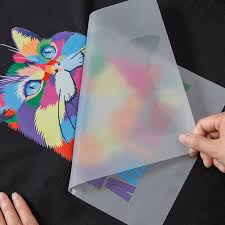
A3 DTF printers are the perfect choice for small to medium-sized printing shops where flexibility and cost control are the top priorities. However, small size does not mean small performance. The secret lies in refining the process, transforming the A3 machine into an agile, high-productivity manufacturing unit.
We will explore 7 key strategies to unlock the maximum potential power of your A3 DTF printer, helping you optimize every minute of operation.
I. Phase 1: Smart Preparation – Accelerating File Processing Speed
Performance begins right at the computer, where the print file is prepared.
1. Standardize Dimensions and Resolution
Don’t waste resources on unnecessary settings.
- Fixed Working Size: Always set the canvas size in the design and RIP software to precisely match the A3 format (approximately 29.7 x 42 cm). This ensures the print file fits perfectly, eliminating superfluous alignment time.
- The 300 DPI Rule: A resolution of 300 DPI is sharp enough for DTF printing. Printing at a higher DPI does not significantly improve quality, but it doubles the processing time of the computer, causing the printer to run slower and use more ink. Set the resolution to this optimal level.
2. File Layout Technique – Saving Every Centimeter
Nesting is the art of fitting the maximum number of designs onto a single A3 film sheet.
- Use Dedicated Nesting Software: Let the software do the arrangement work. Automatic Nesting features in RIP software will rotate and arrange images as tightly as possible, filling every gap.
- Batch Printing: Group designs with the same heat transfer requirements and fabric types (e.g., all black cotton shirts, all white polyester shirts) into the same print run. This minimizes the need to continuously change heat press settings.
II. Phase 2: Software Refinement – Unleashing Hidden Power
The control software (RIP) is the “driver” that determines the speed of the printer.
3. Balancing Print Speed and Quality
A Pass is the number of times the print head travels over a single point. More passes result in smoother images but slower printing.
- Find the Pass Balance Point: For small-format DTF printing, experiment with 6 Pass or 8 Pass settings. This is often an excellent balance between achieving good ink coverage and maintaining fast print speed.
- Prioritize Uni-directional Printing: Although bi-directional printing is theoretically faster, it is more prone to color banding/misalignment errors. When this happens, you are forced to reprint, leading to waste. Uni-directional printing is usually more stable for high quality, saving time in the long run.
4. White Ink Layer Management – Reducing Load on the Print Head
White ink is the main cause of clogs and speed reduction.
- Reduce White Ink Density: If printing on light-colored fabrics, slightly reduce the white ink density (e.g., down to 80% – 90%) in the RIP software. The significantly reduced ink volume helps the printing go faster while still ensuring the necessary coverage.
- Use White Ink Grids (Halftones): Instead of printing a solid white layer, use the setting to create a light white ink grid/screen. This technique reduces the amount of white ink used, allowing the print head to move faster over that area.
III. Phase 3: Maintenance and Operation – Sustaining Continuous Flow
Performance is truly maximized only when the printer is operating non-stop.
5. Preventive Maintenance Discipline
A3 DTF printers require special care to prevent costly print head clogs.
- Daily Print Head Cleaning: Schedule print head cleaning with a specialized solution every working day. White ink settles very quickly. Maintaining this rule will minimize the need for hours-long deep cleaning.
- Control the Printing Environment: Keep the ambient temperature and humidity stable (40% to 60% humidity). This is the first line of defense against ink drying and head clogging.
6. Standardizing the Curing Process
Curing (drying) and heat pressing time are also part of the overall efficiency.
- Optimize Curing Equipment: If possible, use a small heat oven or a heat press with a curing feature to ensure the adhesive powder melts uniformly, eliminating the risk of film damage from uneven manual curing.
- Precise Transfer Press Time: Standardize the heat press time and temperature (For example: 15 seconds at 160°C for cotton). Ensure all employees adhere to these parameters to avoid wasting time re-pressing or damaging the print.
7. The Principle of Batch Printing and Job Delegation
- Consolidate Orders: Avoid single, one-off prints. Group small orders together and print them in large batches on continuous A3 film rolls. This eliminates the time the machine stops waiting for print commands, keeping the printer constantly active.
- Separate Tasks: Clearly divide labor: one person prepares the files and operates the printer (Nesting, RIP), and another person handles powder application, curing, and heat pressing. This creates an uninterrupted production workflow, maximizing labor productivity.
Maximizing A3 DTF printer performance is a sophisticated strategy, requiring the coordination of precise software techniques, disciplined maintenance habits, and smart workflow processes. By applying these 7 strategies, you will transform your A3 machine into an efficient production tool, delivering the highest profit on every roll of printed film.